
How to use the Kōkasoku portal
Registration
Click the "Login" button in the top right corner. In the modal window, switch to the "Register" tab. Fill in the fields: last name, first name, email and password (minimum 6 characters). Check the privacy policy agreement and click "Create account".
To log into an existing account, use the "Login" tab — email and password.
Linking your player profile
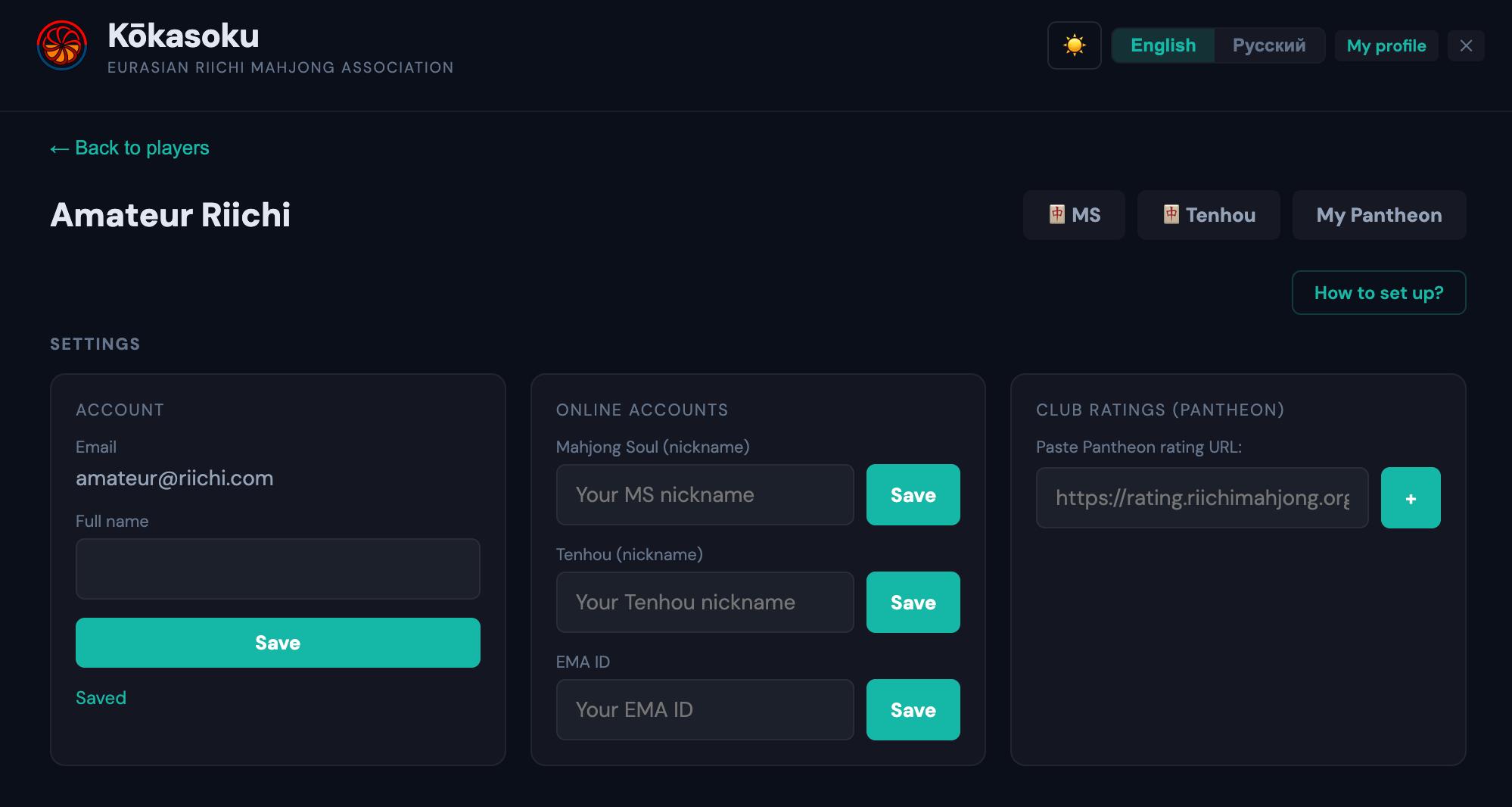
After registration you'll be taken to settings. To link your player profile:
- In the "Account" block, enter your last and first name in the "Full name" field — exactly as recorded in the Pantheon system. Click "Save".
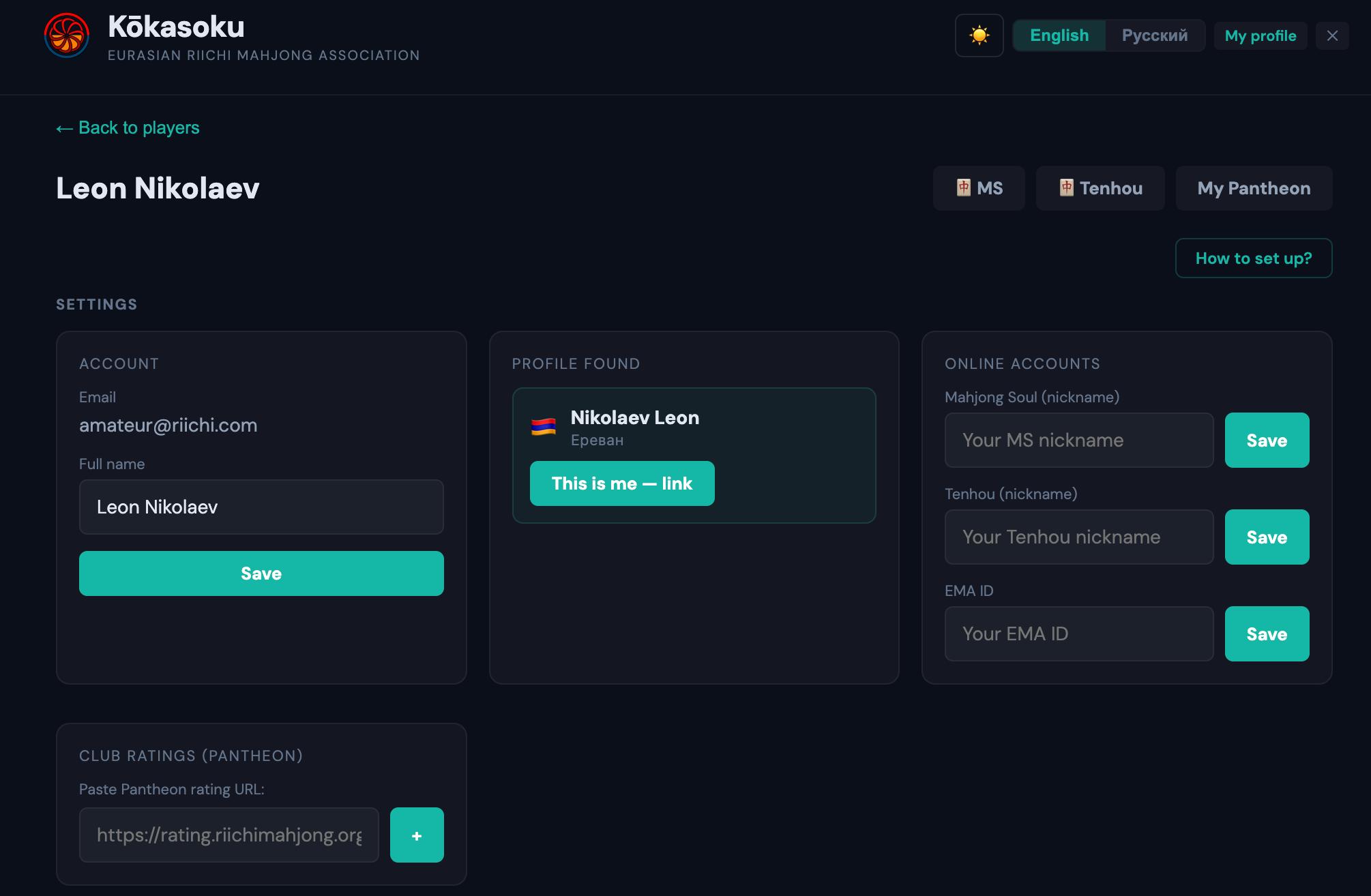
- If a match is found, a "Profile found" block will appear with the player card (name, country flag, city).
- Click "This is me — link".
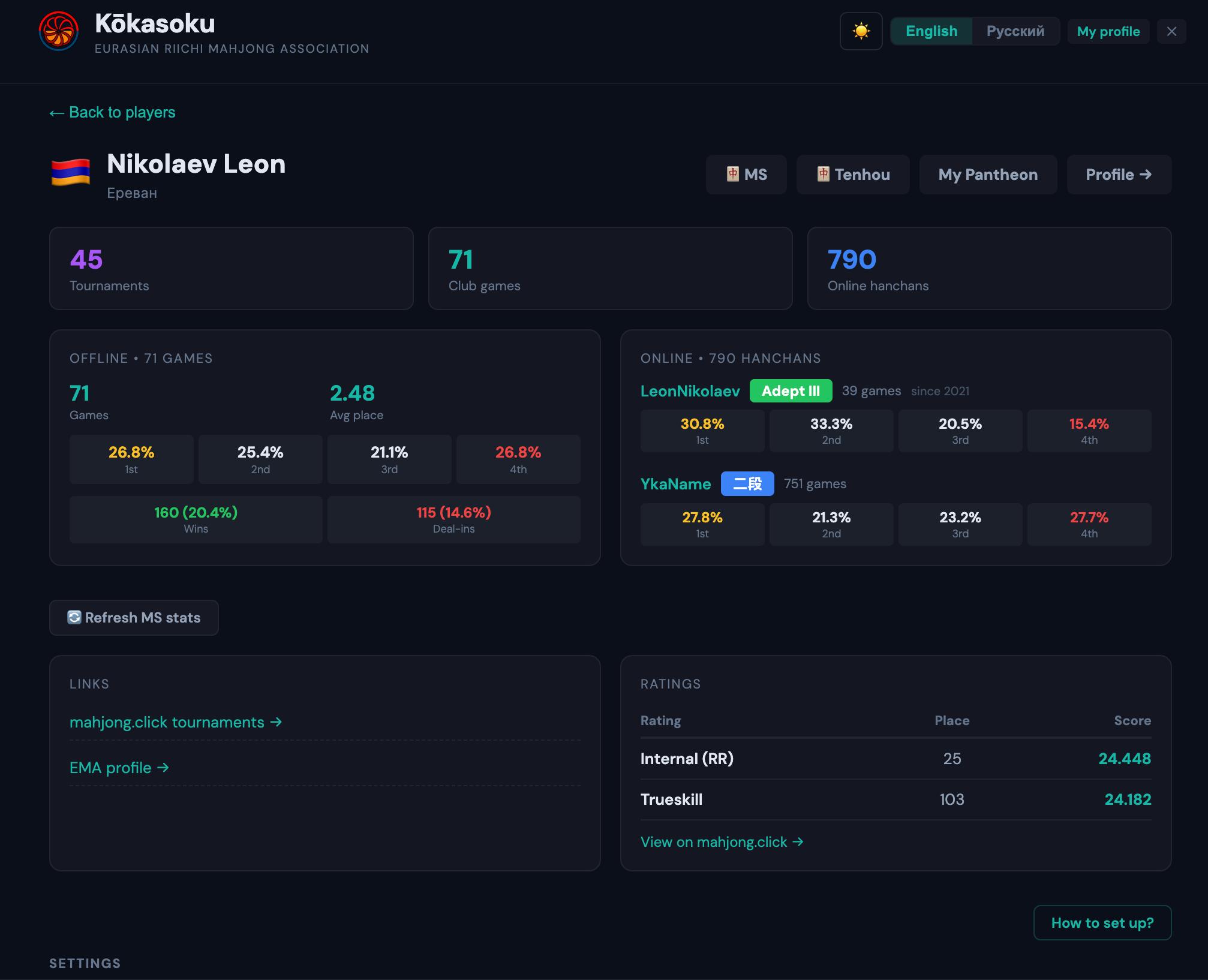
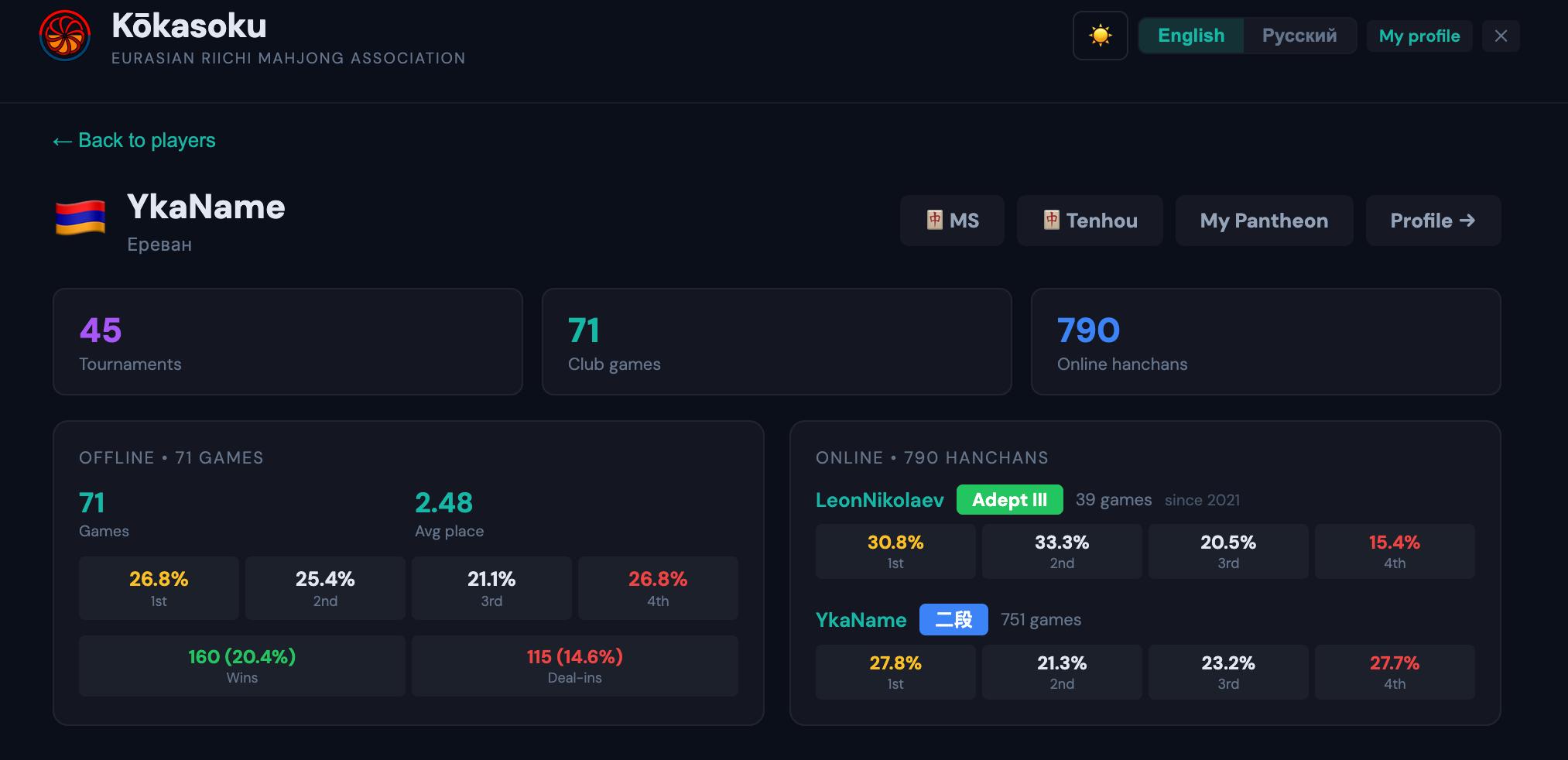
After linking, your profile page will show all your statistics: number of tournaments, club games, online hanchans, and detailed offline and online game statistics.
If the portal can't find you by name — try entering it exactly as recorded in Pantheon. Sometimes the spelling may differ from what you're used to (e.g., in Latin script or a different order).
Profile settings
Settings are located below the statistics block on the "My profile" page.
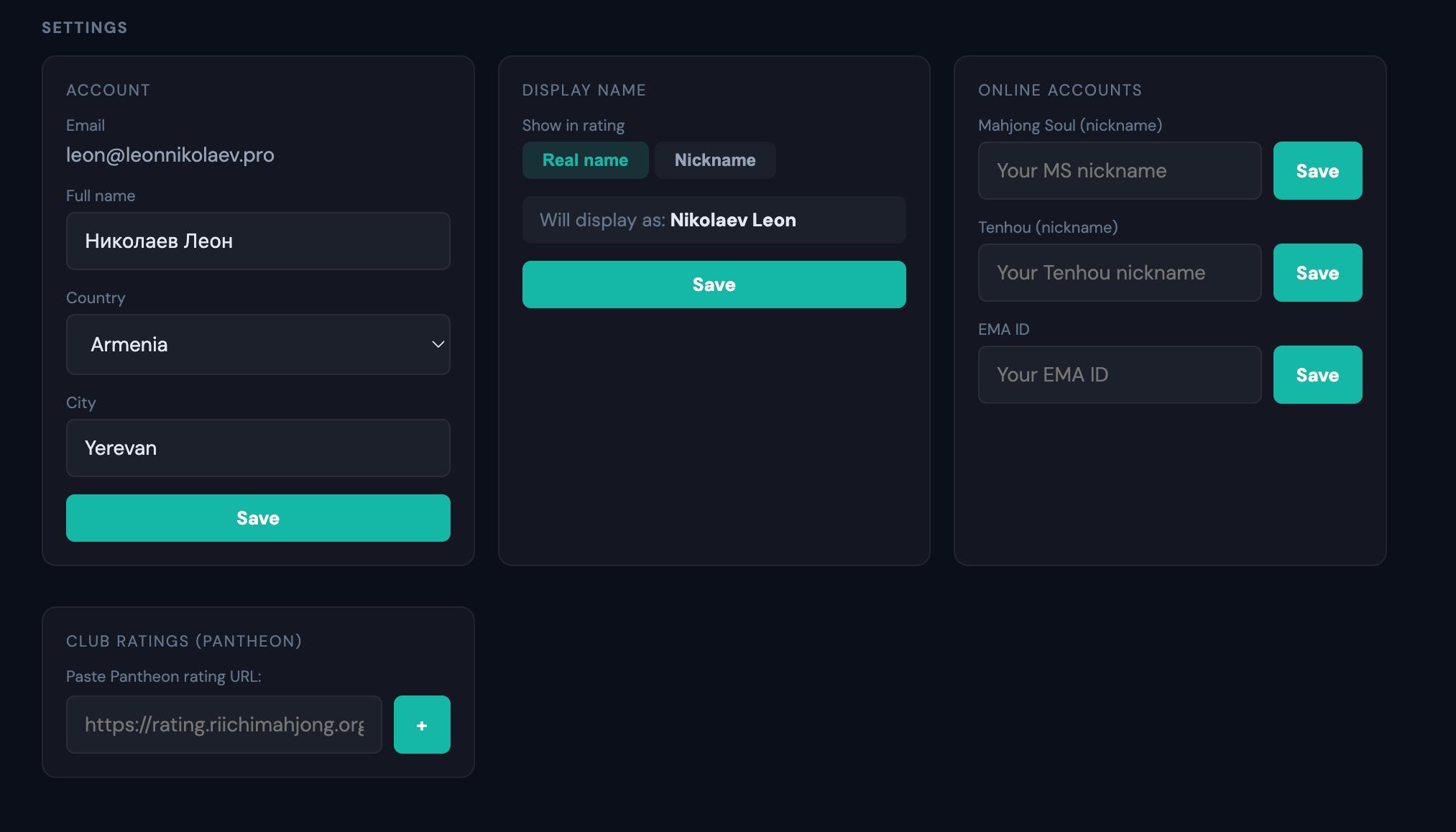
Account — last name and first name, country and city. The "Country" dropdown includes association member countries: Armenia, Georgia, Serbia, Montenegro. Also "Not specified" and "Other".
Display name — choose how your name appears in the rating and on your public profile page: real name or nickname. If nickname is selected, it's taken from your linked Tenhou, Mahjong Soul, or Pantheon account.
Online accounts — here you can link your Mahjong Soul nickname, Tenhou nickname, and EMA ID. Enter the data and click "Save". After linking, your profile will show MS rank, Tenhou stats, and EMA profile link.
Club ratings (Pantheon) — if you play in a club that tracks ratings through Pantheon, paste the rating link and click "+".
How to switch display from name to nickname
- Open "My profile" and scroll to the "Settings" section.
- In the "Display name" block, click "Nickname".
- Click "Save".
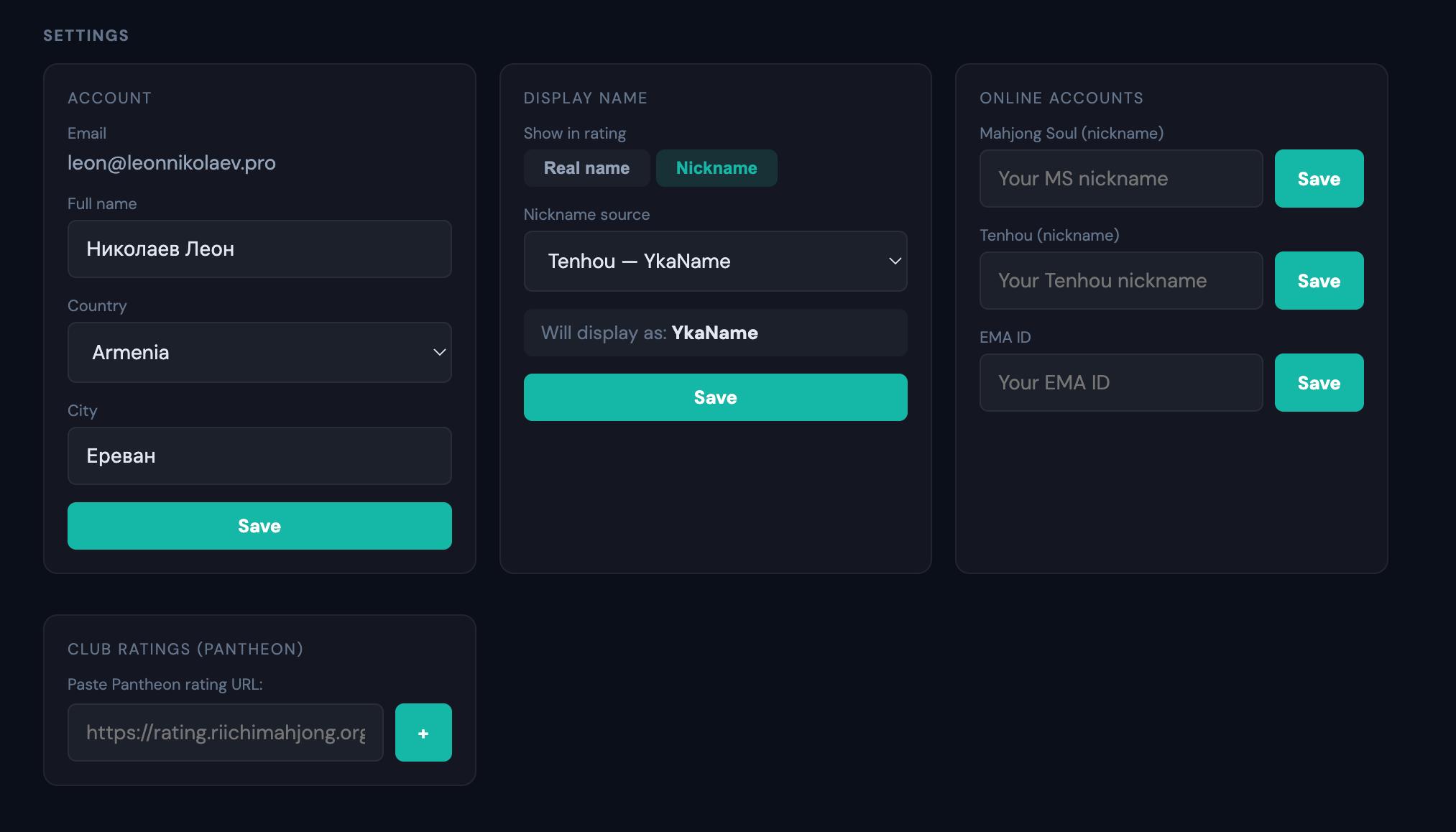
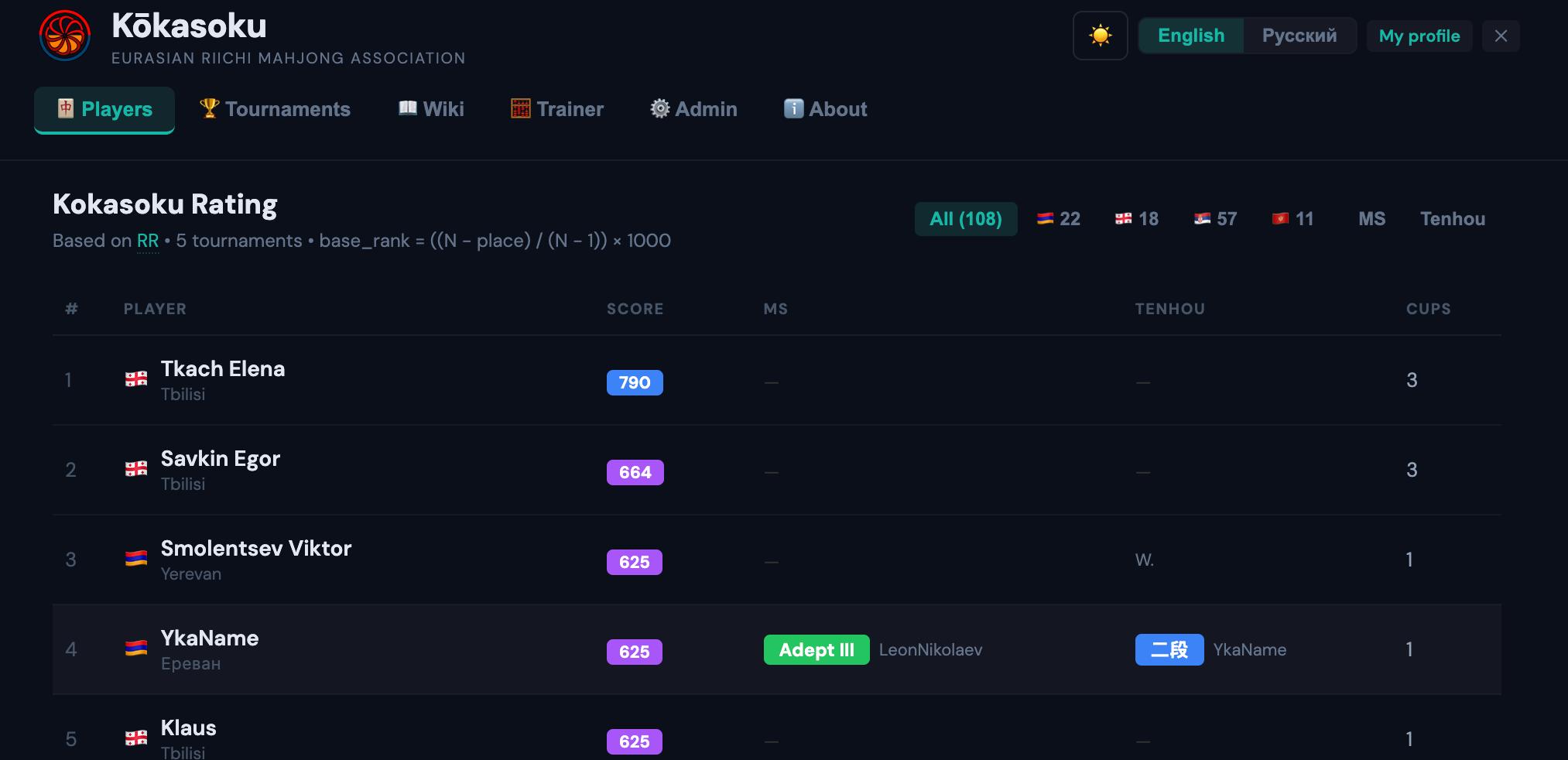
After this, the rating table and your public page will show your nickname instead of your real name.
How to hide yourself from the rating
Only players from association member countries are shown in the rating. To hide your profile:
- Open "My profile" → "Settings" section → "Account" block.
- In the "Country" field, select "Other".
- Click "Save".
Your profile will remain on the portal but will stop appearing in the general rating.
Public profile
Every player has a public page accessible to everyone (e.g., kokasoku.com/#/player/nikolaev-leon). It shows:
- Number of tournaments, club games, and online hanchans
- Offline stats: games, average place, place distribution (1–4), win rate and deal-in rate
- Online stats of linked accounts: rank and place distribution in Mahjong Soul, dan and stats in Tenhou
- Links to mahjong.click and EMA profile
- Rating position: Internal (RR) and Trueskill
Personal profile
In addition to the public page, you have a personal profile visible only to you. It opens via the "My profile" button in the top right corner. The personal profile shows the same statistics as the public page, plus:
- Quick access buttons to external resources: "MS" — Mahjong Soul, "Tenhou" — Tenhou.net, "My Pantheon" — Pantheon assistant
- "Profile →" button — leads to your public page
- "Settings" section — for managing your account, display name, online accounts, and club ratings